
Chrome Web Store Extension Installation Process
Updated on: 11-03-2025 16:36:31
I. Tutorial Details
1. Go to Products >Scrape Products > Click Chrome App Store
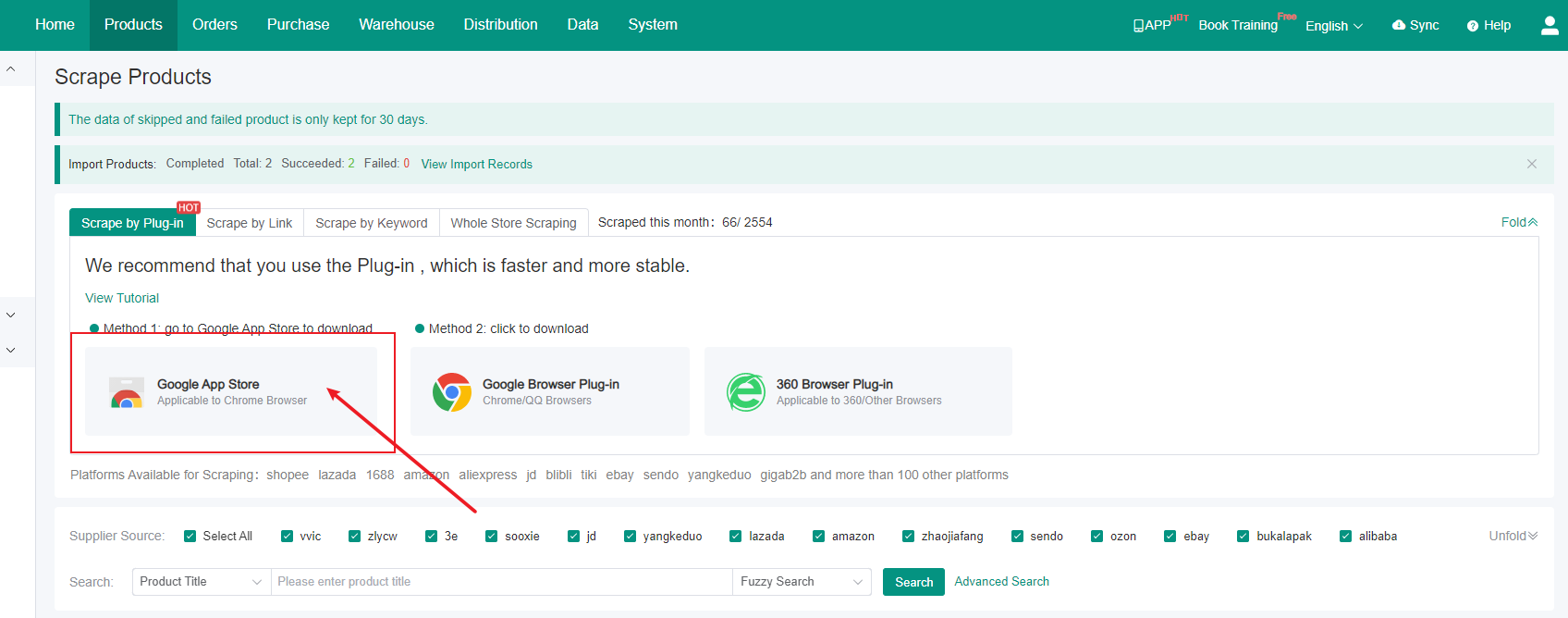
2. You can also go to the Chrome Web Store directly :
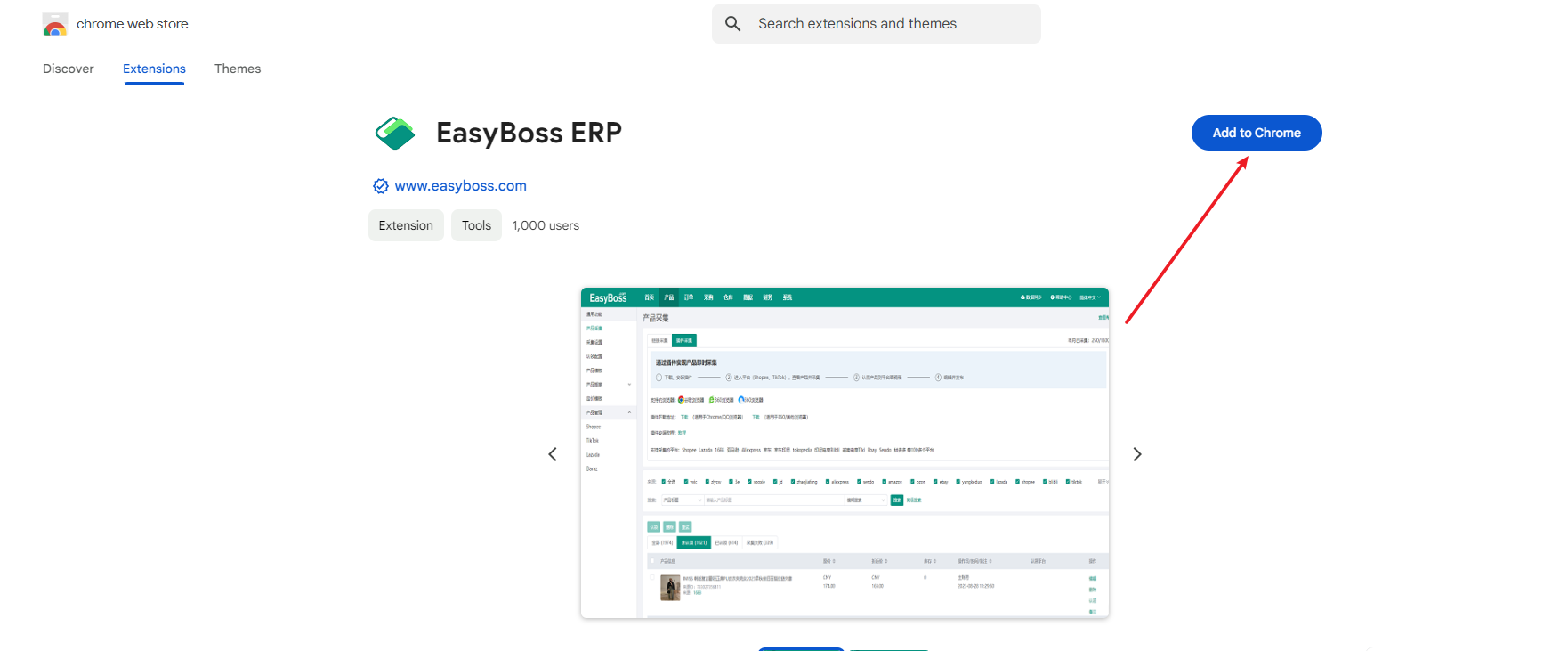
https://chromewebstore.google.com/detail/easyboss-erp/flimmmpmnckngfehcfmkfcnpojbofokd?hl=en
3. Click Add to Chrome to install
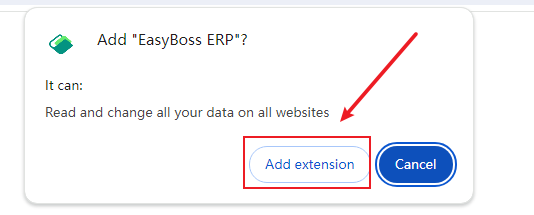
4. Click Add extension in the pop-up window
5. After clicking, it displays as:
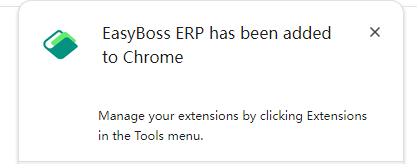
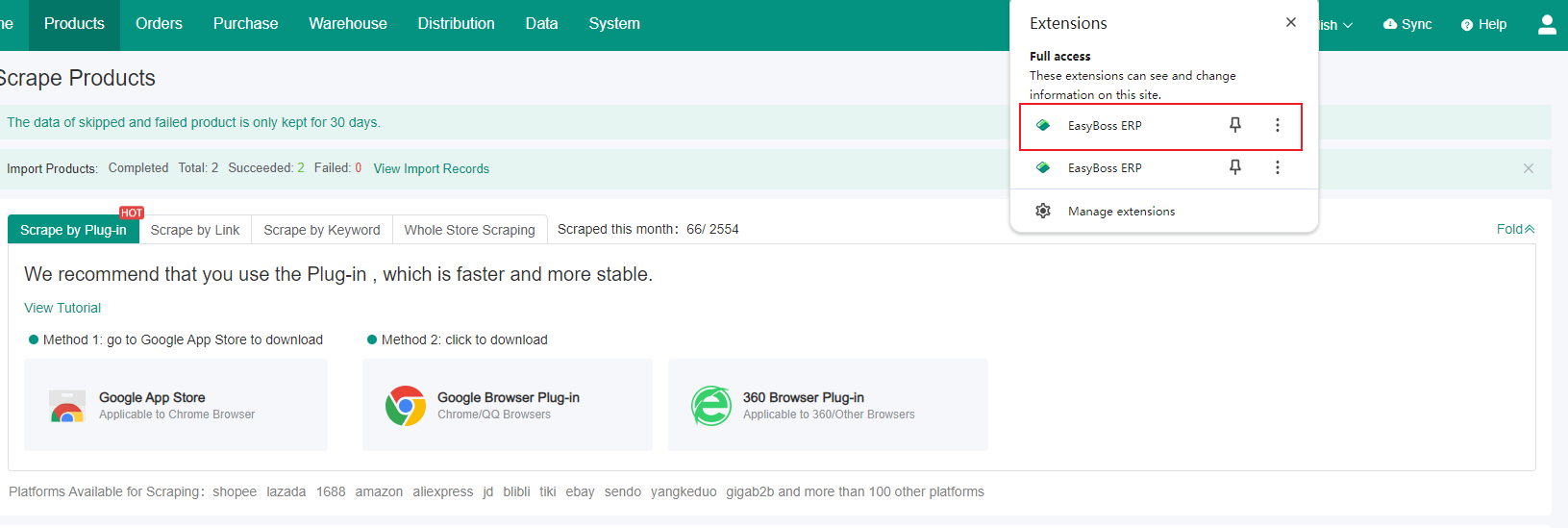
6. After adding, you can view the extension in the browser.
Was the content helpful to you?