
Connect Stores to EasyBoss - Lazada Choice
Updated on: 18-11-2024 10:02:15
I. Tutorial Preface
Lazada Choice does not support publishing products in Easyboss. Only orders can be viewed and processed after authorization.
II. Tutorial Details
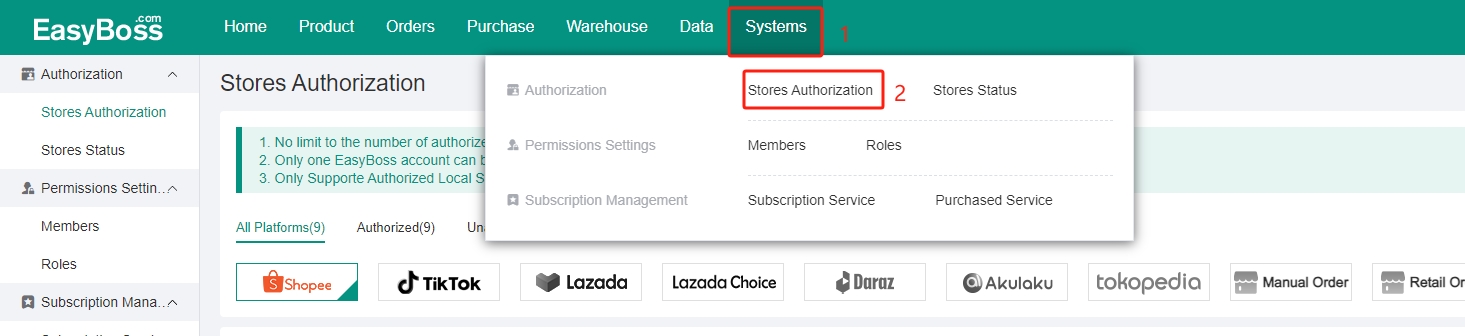
1. Go to EasyBoss Home page > Click Systems > Click Store Authorization
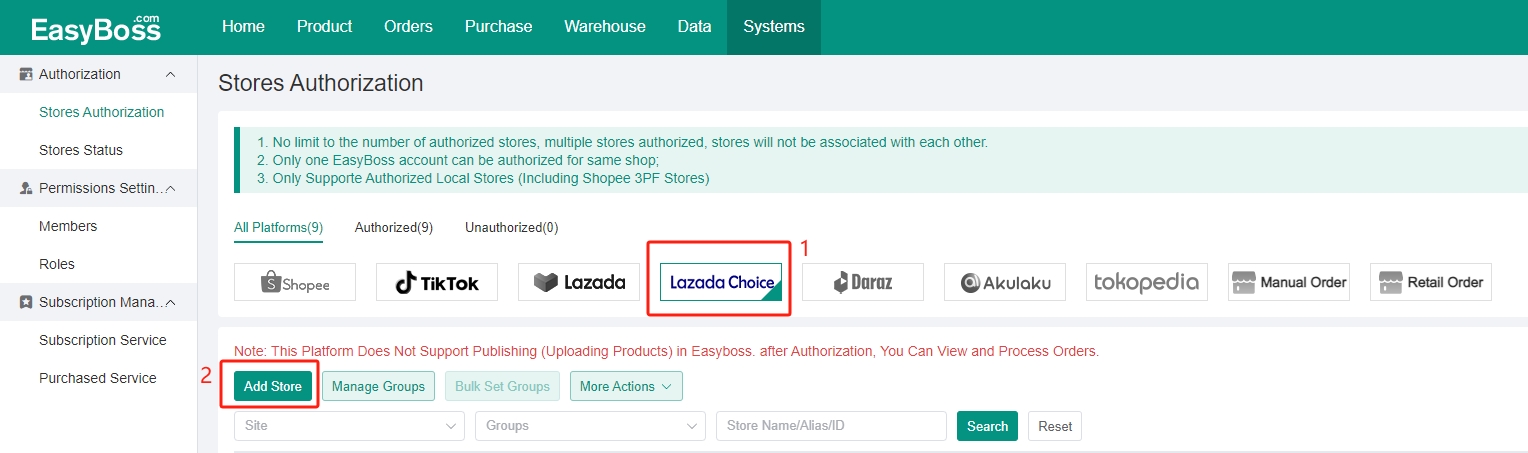
2. Select Lazada Choice > Click Add Store
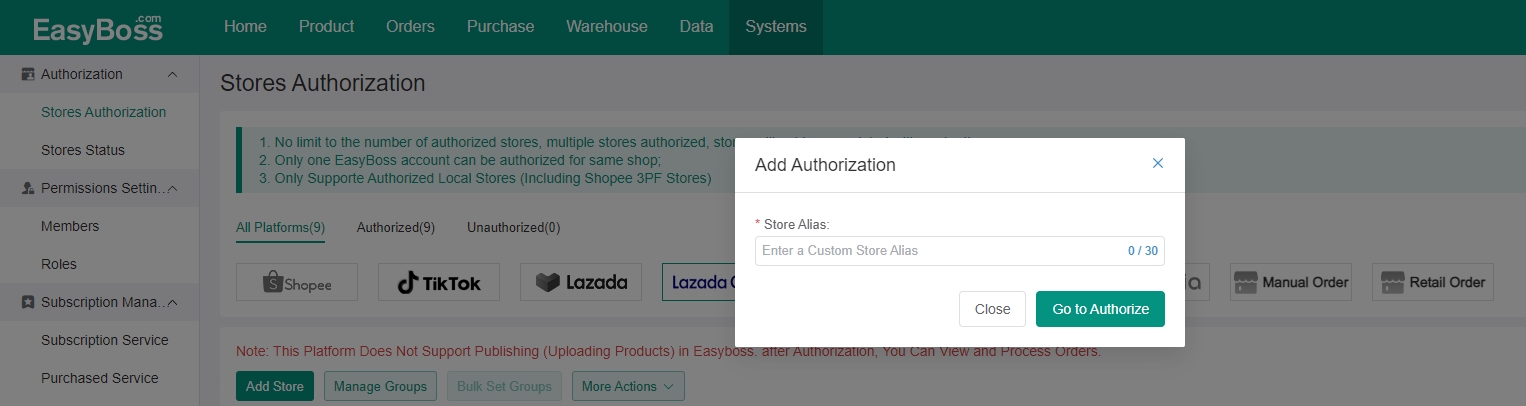
3. Customize the Store Alias > Click Go to Authorize
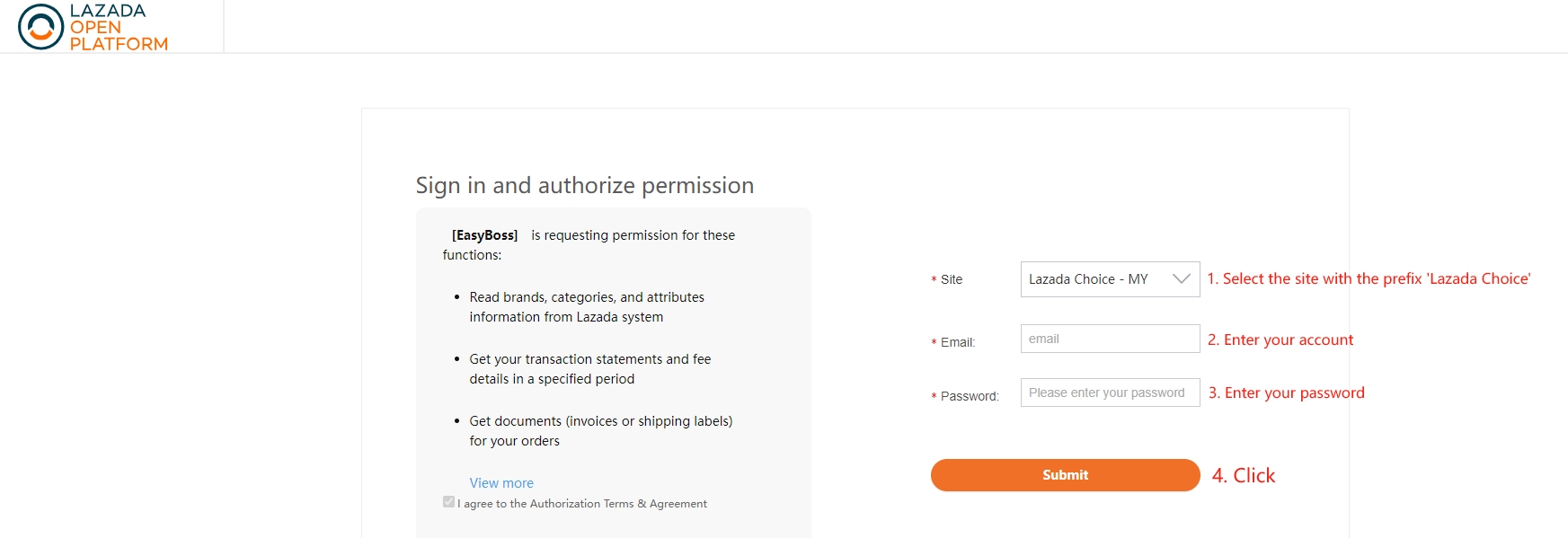
4. Select the site with the prefix 'Lazada Choice', and enter your account and password > Click Submit
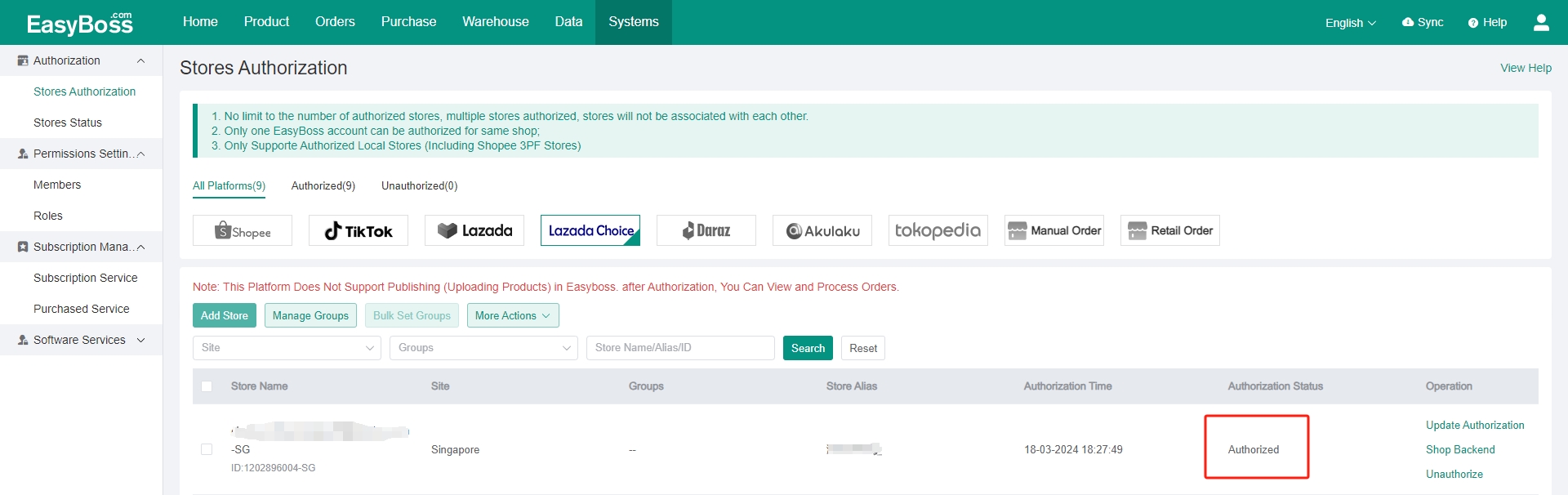
5. After authorized successfully, back to EB, you can check the store status as 'Authorized'.
Was the content helpful to you?